OdinLake S1 Flip-Top Standing Desk Review — Is It Worth It? [2026]
.jpg)
OdinLake S1 Flip-Top Standing Desk
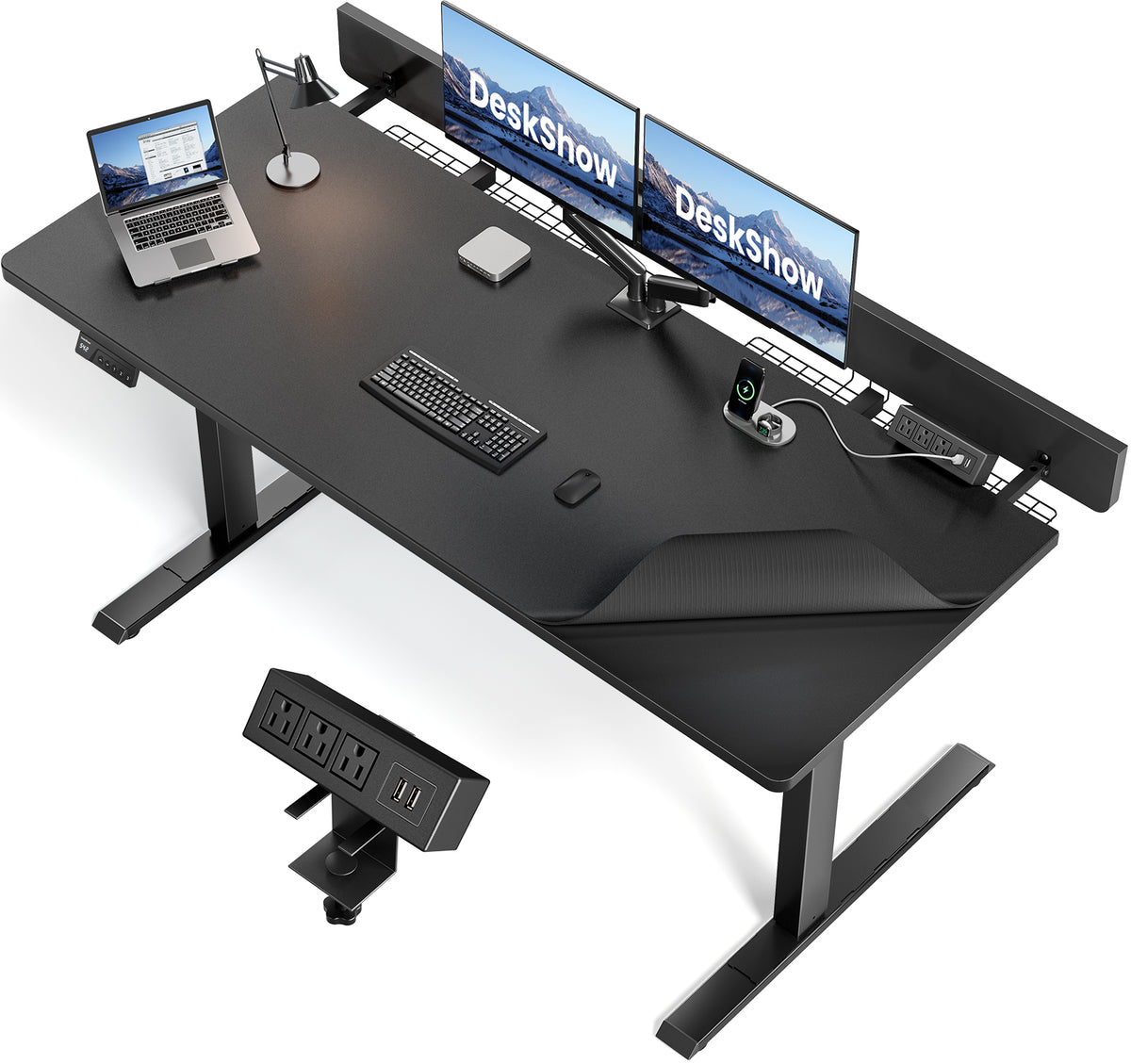
A 60-inch standing desk with a flip-top rear panel for instant cable access, built-in power outlets, and a whisper-quiet motor rated under 45dB.
Is the OdinLake S1 worth buying?
Yes, if a wide single-surface desk with easy cable access matters more to you than an L-shaped layout. The flip-top rear panel is the standout feature here — instead of reaching under the desk or unplugging everything to route a new cable, you lift the rear panel and it's right there. Built-in AC and USB outlets remove the need for a separate power strip on the desktop.
A wide desk designed around cable access
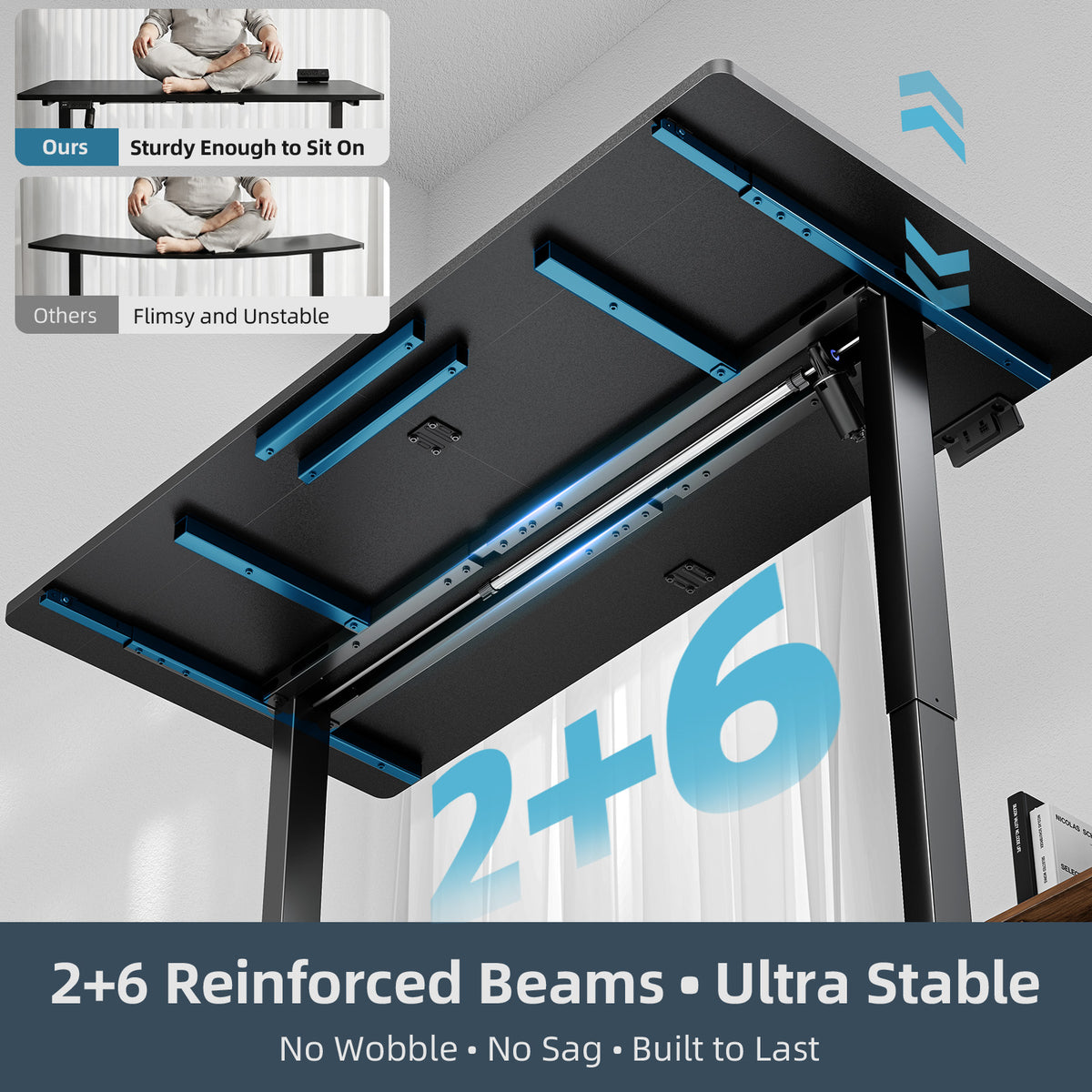
The S1 offers a 60" x 30" main surface plus a 6" rear extension, and it's built with heavier-duty use in mind — a 0.75" thick tabletop and 2+6 reinforced beams under the surface. The headline feature is the patented flip-top rear panel, which opens to reveal a cable pass-through and a 20mm gap sized for mounting a monitor arm clamp.

What makes the S1 stand out
Lift the rear panel, reach every cable
Instead of crawling under the desk, the rear panel flips up to expose the cable routing space and a built-in lift-top cable tray. The same opening includes a patented 20mm adjustable gap, sized to fit a clamp-on monitor arm without drilling into the desktop.
3 AC outlets and 2 USB ports, right on the desk
Three AC outlets and two USB ports are built into the desk itself, so laptop chargers, monitor power and phone cables don't need a separate power strip taking up desktop space.

0.75-inch tabletop, 2+6 reinforced beams
The tabletop is noticeably thicker than most flat-pack desks at 0.75 inches, and the frame uses 2+6 reinforced beams underneath — the kind of extra structural support that matters once you've loaded up two monitors, a dock and a desk lamp.

Whisper-quiet motor, rated under 45dB
The lift motor is rated at 45dB or quieter, a step below even the S3's rating, making it one of the quieter options if you're raising and lowering the desk during video calls or in a shared space.

Full spec sheet
| Model | S1 Flip-Top Rear Panel Stand Desk |
| Price | $269.00 (list $299.00) |
| Dimensions | 30"D × 60"W × 45"H (adjustable) |
| Desktop | 60"×30" main surface + 6" rear extension |
| Tabletop thickness | 0.75" (reinforced) |
| Frame reinforcement | 2+6 reinforced beams |
| Motor noise | ≤45dB |
| Cable management | Flip-top rear panel + lift-top cable tray |
| Monitor arm mount | Patented 20mm adjustable gap |
| Built-in power | 3 AC outlets + 2 USB ports |
| Max load capacity | 250 lbs |
| Color | Black |
| Warranty | 3 years |
| Return policy | 30-day money-back guarantee |
Pros & Cons
Pros
- Flip-top rear panel makes cable routing and monitor-arm mounting far easier than reaching under a standard desk.
- Built-in 3 AC + 2 USB outlets remove the need for a desktop power strip.
- 0.75-inch tabletop and 2+6 reinforced beams feel sturdier than typical flat-pack desks.
- Motor noise rated under 45dB — quieter than the S3.
- 3-year warranty and 30-day money-back guarantee.
Cons
- Single-surface layout (60"×30") offers less total desk space than the L-shaped S3.
- Only available in black, based on the listing.
- 6" rear extension is a nice touch but isn't the same as a full second work surface.
- Like the S3, this is a heavy piece of furniture to move once it's assembled.
Answers before you buy
What does the flip-top rear panel actually do?
Does the desk have built-in power outlets?
How much weight can it hold?
How loud is the motor?
What's the desktop size?
What's the warranty?
The pick for anyone tired of fighting cables
The S1's flip-top panel and built-in outlets solve a genuinely annoying part of running a multi-device desk setup. If you don't need the L-shape, it's a sturdier and quieter alternative to the S3 for less money.
This page contains affiliate links. Teelacodes may earn a commission when you click through and complete a qualifying purchase, at no extra cost to you. Read the full disclosure policy. Prices, stock and promotion terms can change without notice — always confirm the final total and availability on odinlake.com before ordering.
Popular Blog


